Tuesday, 3 April 2007

SharePoint 2007: Changing the title of an RSS Feed in the RSS Viewer web part

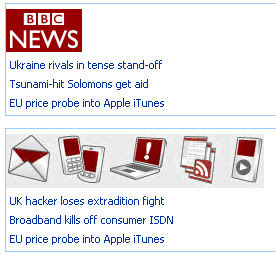
You might usually find that the RSS Viewer displays an RSS Feed title which you don't really like and which you want to change. Or you might want to add a nice image to your RSS feed. You can by hacking into the XSL used by the RSS Viewer Web Part.

Steps to do this:

  1. Edit Page, and Modify Shared Web Part
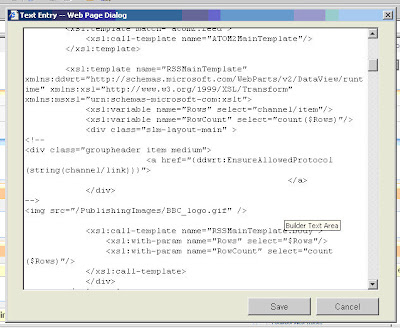
  2. Click on the XSL Editor
  3. Find the following div: groupheader item medium

You can now do any changes you want to the anything inside the div. Ideally just comment (HTML) out the original so you can revert to the original if you break something or keep a copy of the original XSL.

E.g


or even nicer (upload CoolRSSImage.jpg) to your publishing Images


Final Result


kick it on SharePointKicks.com

Friday, 30 March 2007

Adsense: Insert Google Adsense Into Blogger XML Post Body

I've been searching for a way of brining up AdSense just after the body of my post. Searched high and low and most of the ways I found were not working. Finally I got it to work thanks to this post.

So if you've been managing to change the template with the AdSense code with no errors, but still get a javascript error when you view the blog, follow this post.

Tuesday, 27 March 2007

SharePoint 2007: List Migration / Export List for re-importing to another site

The stsadm.exe works mostly well for complete sites + subsites. However, if you want to export just lists, stsadm will not allow you to export. Therefore to migrate i.e. export and import a SharePoint list you need to do the following (painful) procedure. Create a template from the List you want to export (and include the content in the template), download a copy of the .stp template file created. Then upload the stp file to the List templates and create the list from the template you have just created. I have skipped the details, jsut describing the genaral steps which need to be done.

This post is also quite interesting if you want to retain lookup information.
http://mindsharpblogs.com/todd/archive/2005/11/11/853.aspx

If anyone finds an easier way of doing this, please give me a shout!